
Resource history
Follow a resource through its code changes, recorded state, delivery evidence and relationships.
Cloud-Visi brings Terraform change tracking and infrastructure as code (IaC) analysis to AWS and Microsoft Azure. Connect code history, delivery evidence, dependencies and recorded state in one self-hosted workspace.
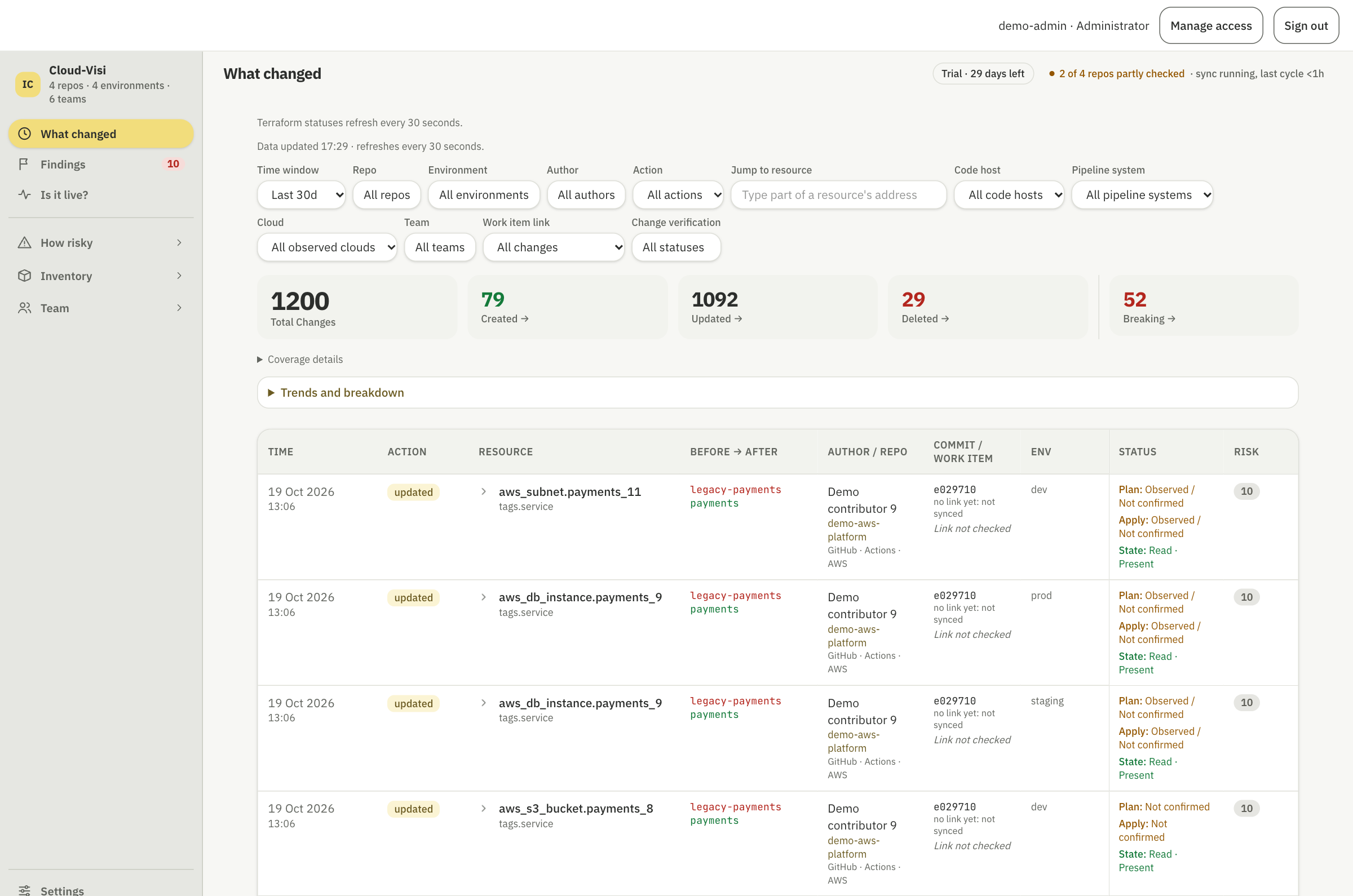
Review resource additions, updates and removals, including before-and-after attribute values. Connect each change to its commit and repository, then filter by source or environment where supported.
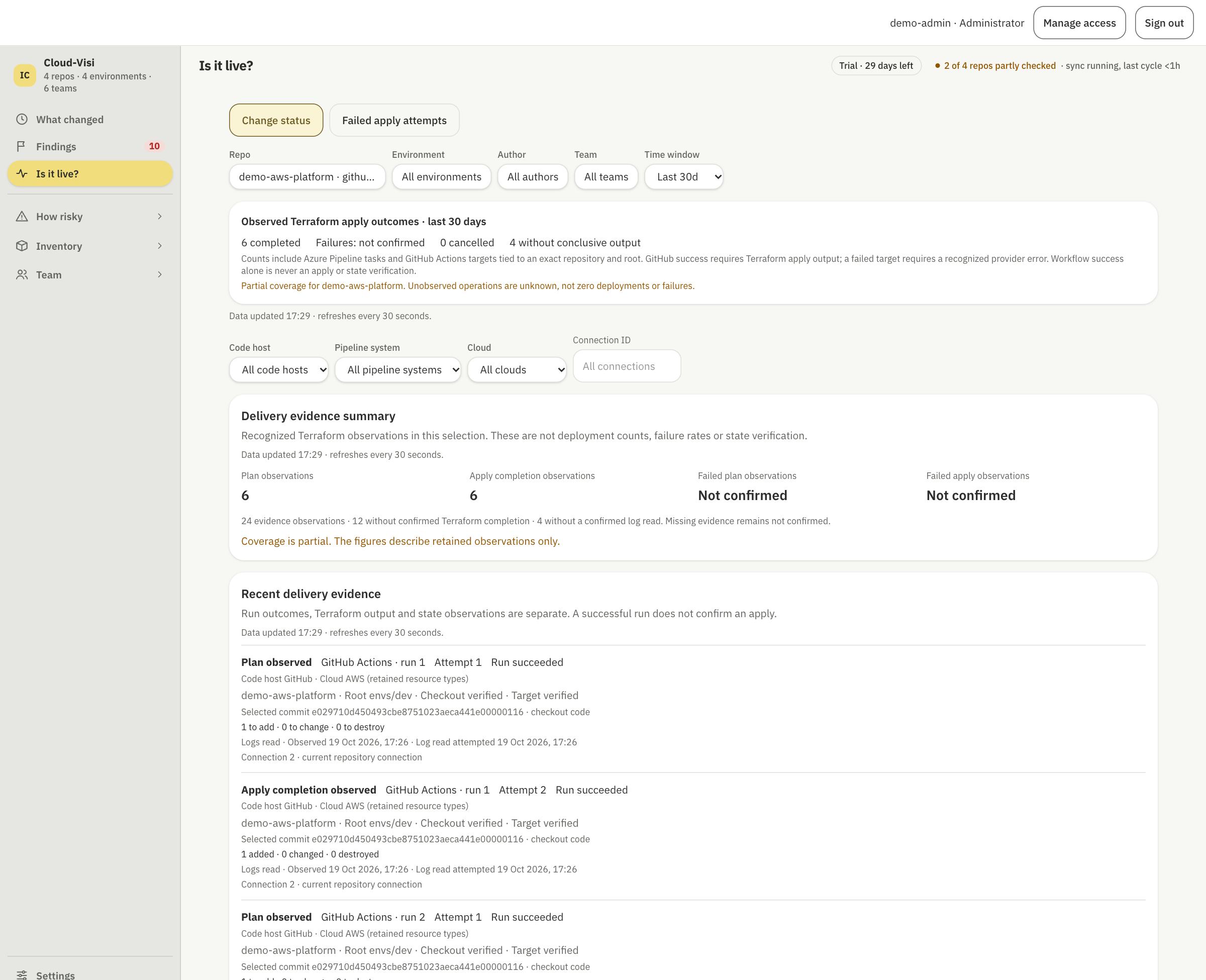
Review supported Terraform output alongside workflow runs and attempts. Plan, apply and state evidence remain separate, so you can see what each observation establishes. Missing evidence remains unconfirmed.
Explore resource history, dependencies, trends and findings to build context for your investigation. Each view shows what the available evidence supports.
Follow a resource through its code changes, recorded state, delivery evidence and relationships.
Follow references through Terraform resources, variables and module inputs and outputs, including supported relationships across state files. Possible, unresolved and unsupported relationships are labelled.
Track declared resources over time and review recorded state entries by environment. Code and state trends are shown separately, based on the history available.
Review deployment frequency, commit-to-apply lead time, change failure rate, recovery time and rework using available evidence from Terraform apply tasks in Azure Pipelines.
These metrics are available for Azure Pipelines only. GitHub Actions evidence is shown separately and does not support the same metrics in this release.
See how knowledge is distributed across Terraform directories, alongside review context and change size. Use this information to support team discussions, not to rank individual performance.
Review rule-based signals of breaking changes, findings from code and recorded state, and Terraform misconfiguration scan results. These findings guide investigation; they do not certify safety or compliance.
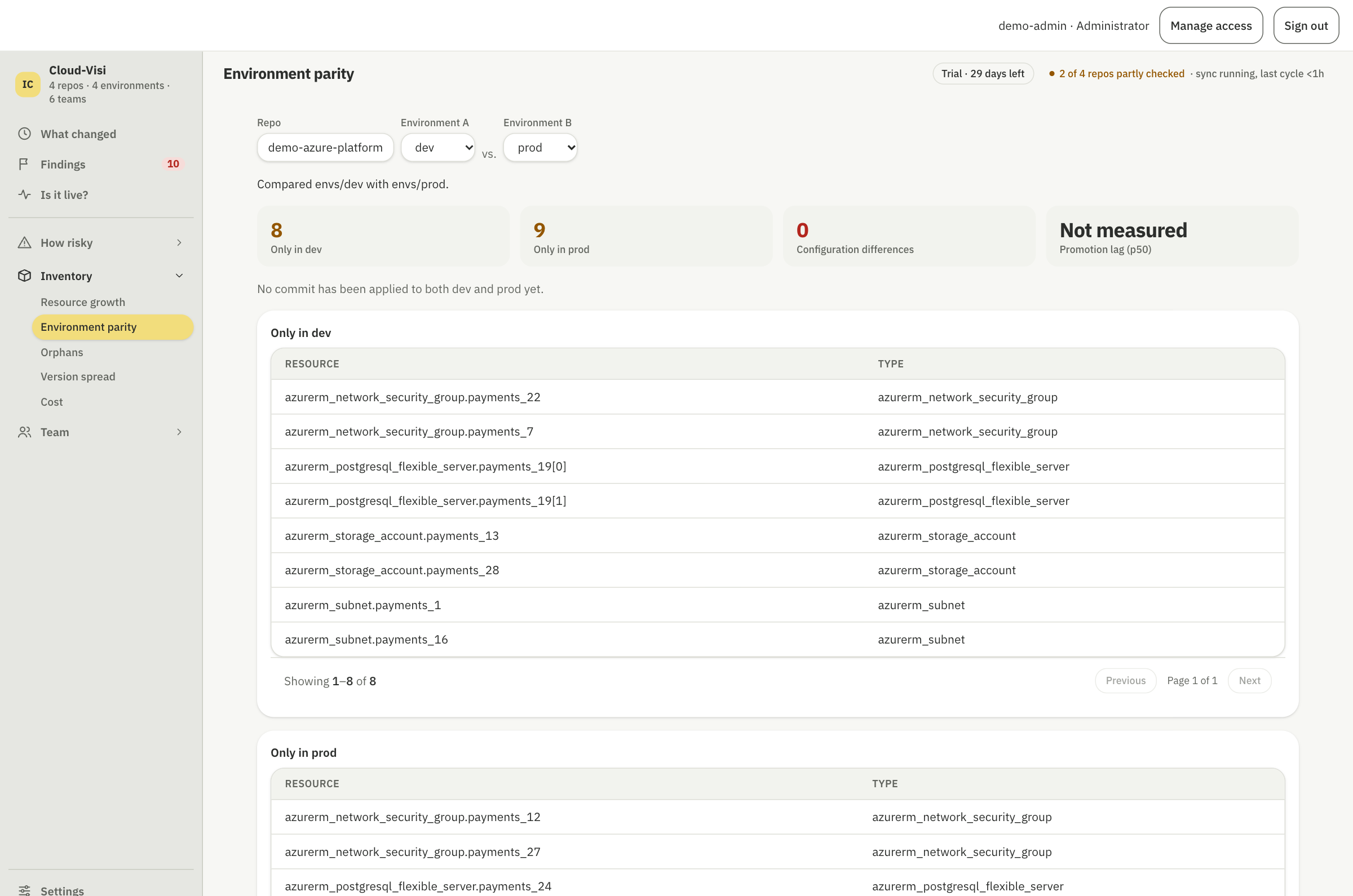
Compare resource and configuration differences across configured environments. Results depend on accessible code and state information and the Terraform roots assigned to each environment.
Choose your cloud, repository host, pipeline system and state backend independently. A GitHub repository can contain Terraform for Azure; an Azure Repos repository can contain Terraform for AWS.
Investigate Terraform code and available delivery evidence for AWS and Azure. Direct cloud account and subscription inventory is not included.
Connect repositories with read-only access to code and available pull request and review information.
Review supported delivery evidence from either system. GitHub Actions coverage is partial and depends on workflow and output formats. Delivery metrics are available for Azure Pipelines only.
Configure read-only state access separately and select one workspace per Terraform root. GCS and HCP Terraform state integrations are not supported in this release.
For setup requirements and workflow coverage, read the AWS and GitHub guide ↗.
Cloud-Visi helps you investigate existing evidence. It does not execute Terraform, provision or remediate infrastructure, or provide a monitoring or notification service.
Read the coverage and limitations ↗Connect repositories with scoped read-only access, review existing delivery history and optionally connect state for selected roots and workspaces. No new Terraform deployment is needed to begin exploring the history you can access.
Deploy the beta on Kubernetes using Helm. A 30-day trial must be activated for your installation. Public deployment files do not grant an open-source licence for the product.
Read the deployment guide ↗Trial activation details →Discuss an evaluation →